
Your Right to Delete Your Information
As a Vestal user, you have the right at any time to delete your information from our servers without any commitment. The process is simple and secure.
Instructions
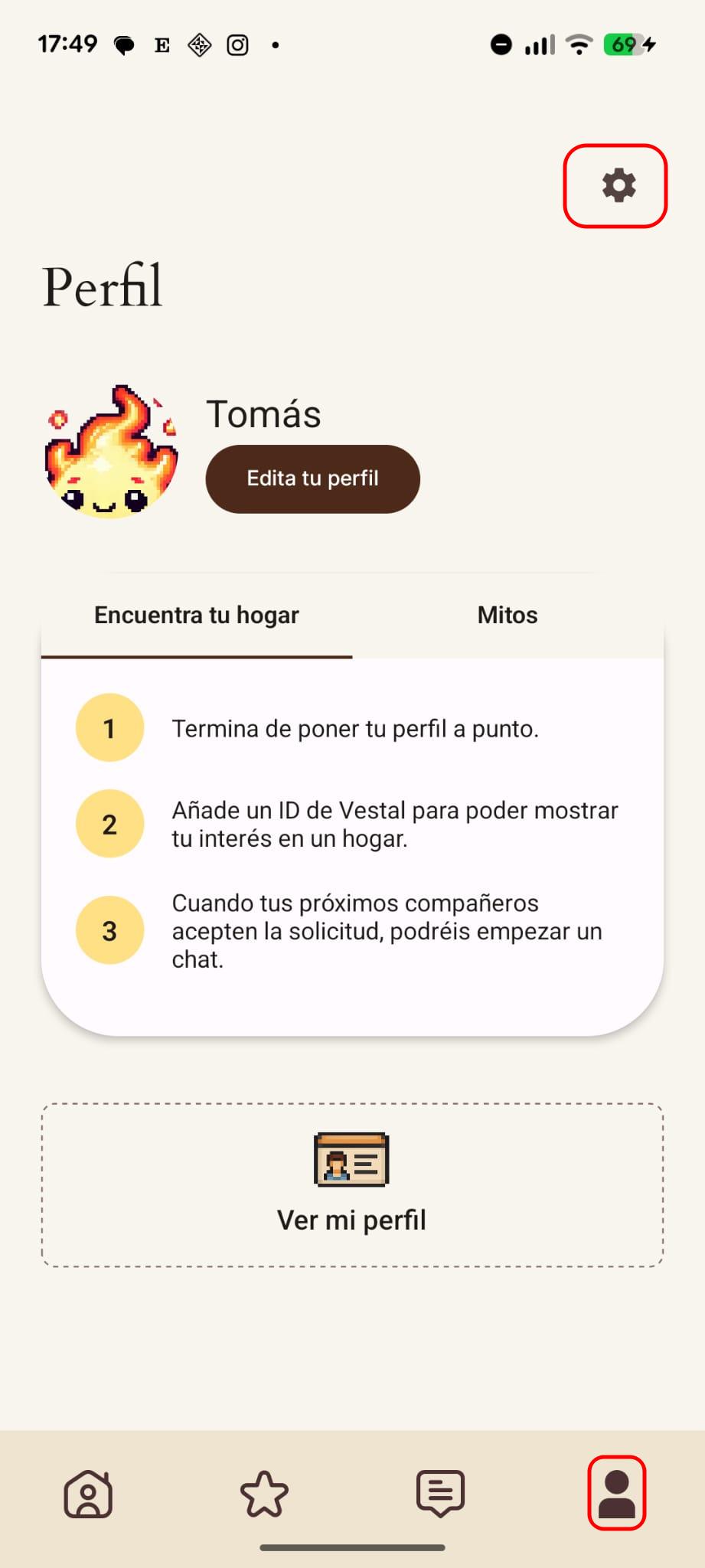
Step 1: Tap on the user icon to go to the "Profile" section. Then, tap on the settings icon at the top right.
Step 2: Inside settings, tap on the "Delete my account" section and follow the instructions to delete your account and data securely.
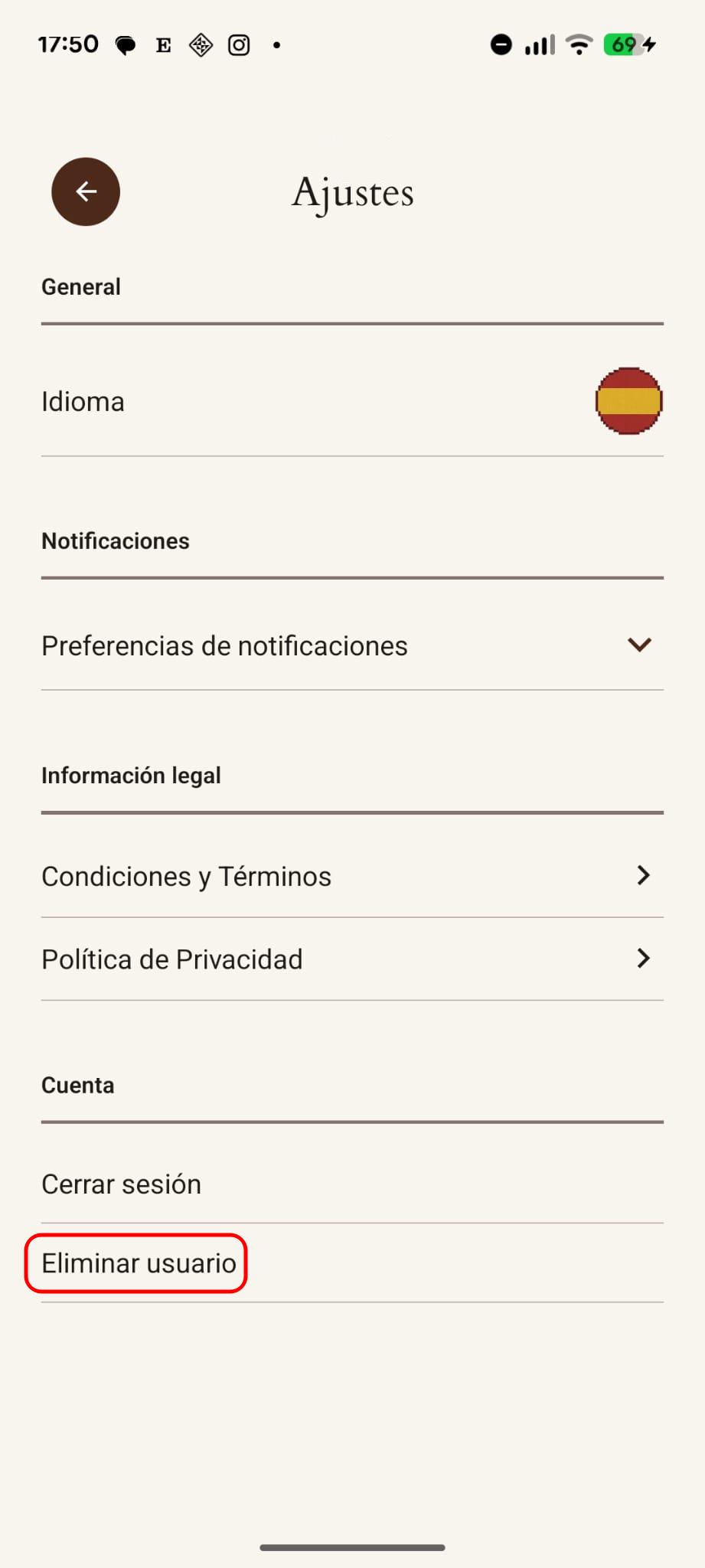
Once the process is complete, you will be logged out and redirected to the welcome screen. You can create a new account whenever you want.
Need Help?
For more questions about privacy or any other inquiry, contact us at vestal.theapp@gmail.com.